Walkthrough · Hurricane Ida, 2021
How much did Hurricane Ida cool the Gulf?
We asked AQUAVIEW in plain English, checked the answer with a script, and found out how far to trust it. Every prompt and script is here for you to run.
The storm
Why Ida
Hurricane Ida crossed the Gulf of Mexico on 28 and 29 August 2021 and came ashore in Louisiana. In a single day its winds went from 80 to 150 mph, one of the fastest jumps on record. Drag the slider under the map to watch it happen.
Warm water feeds hurricanes, and the Gulf was very warm that summer. So we asked a simple question: after the storm passed, how much cooler was the water it left behind? And just as important, can we trust the answer?
The science, briefly
What a hurricane does to the ocean
At the surface, a hurricane makes huge waves and violent gusts. Below the surface, its winds stir the water so hard that cold water from deeper down mixes up into the warm top layer. The storm leaves a cooler strip behind it, called a cold wake. It is usually one to a few degrees cooler than before.
We can measure both, with two kinds of instrument:
- Buoys are floats anchored in place that record wind, waves and air pressure every ten minutes. We used buoy 42040, south of Alabama, close to Ida's path.
- Argo floats are drifting robots that sink to two kilometres, then rise and measure temperature and saltiness on the way up. Each trip is called a profile. The dots on the map are profiles.
The plan: take every Argo profile inside a box along the storm's path for ten days before Ida, do the same for ten days after, and compare.
Step 1
Find the data on the map
Everything here is public NOAA data, and it is already indexed on AQUAVIEW. This link opens the map with three sources and the storm weeks already set: the NDBC buoys, the Argo floats (listed as GADR), and the World Ocean Database.
Open the map for Ida's weeks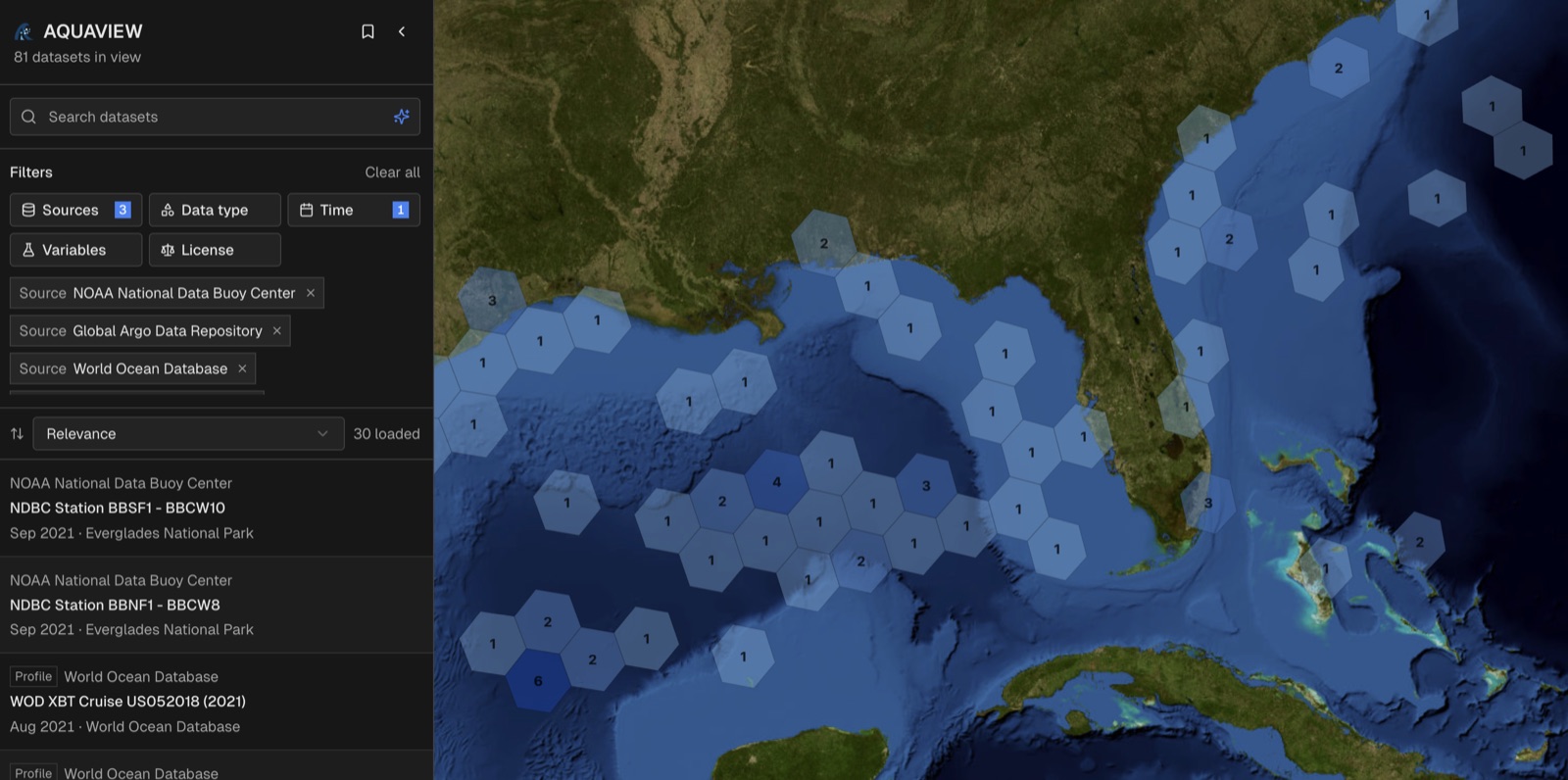
Each dataset has its own page with what it measures and a link back to NOAA's original. Here is the buoy.
Open buoy 42040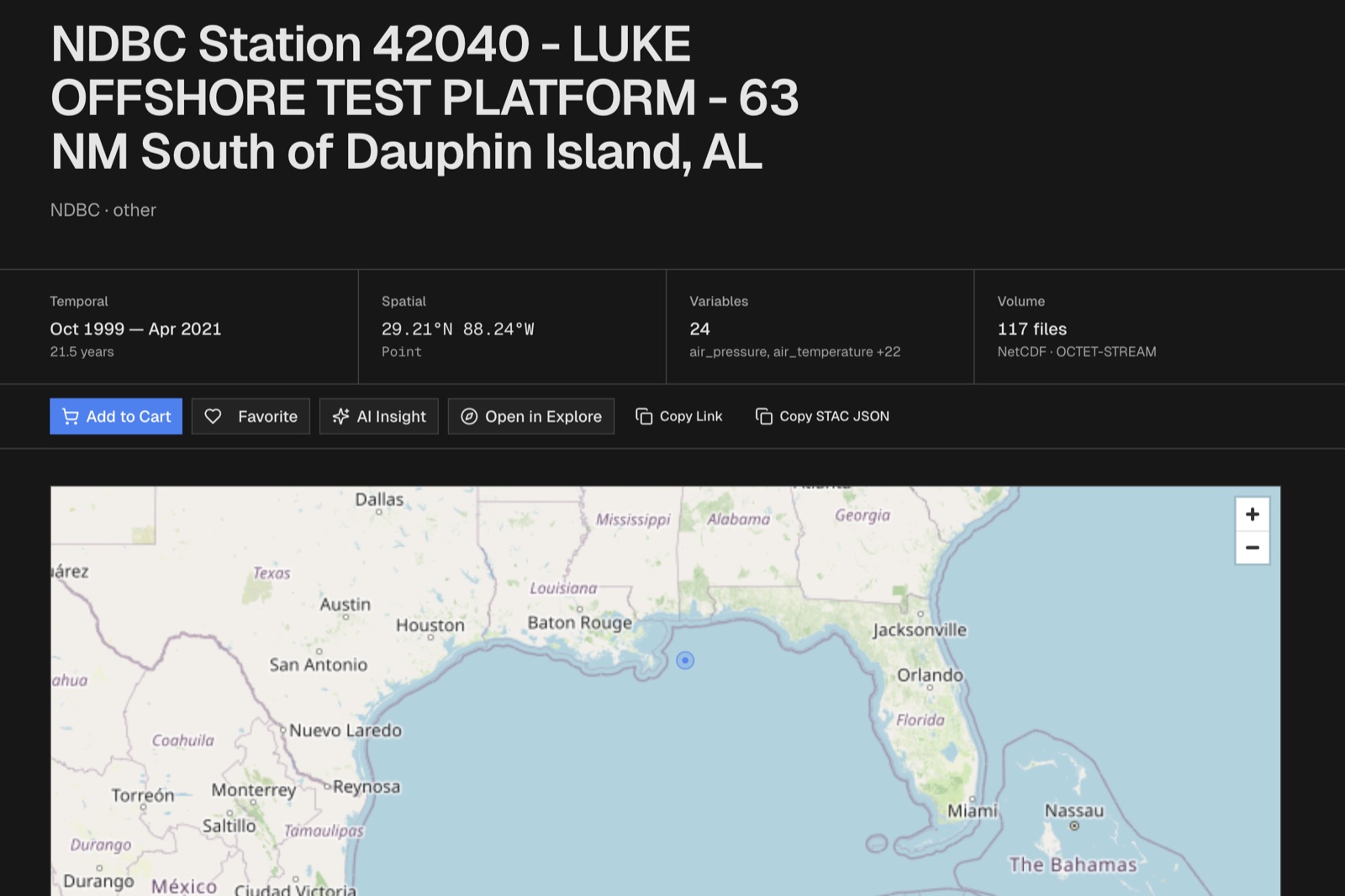
Step 2
Ask for it in plain English
Cowork is AQUAVIEW's chat. You describe the data you want, and before it downloads anything it shows you a plan card: the source, the variables, the place and the dates it understood. Nothing is pulled until you say yes. You need to be signed in to use it.
Wind gusts, wave height and air pressure from NDBC buoy 42040 from 26 August to 1 September 2021.
When the plan card appears, check it and type yes.
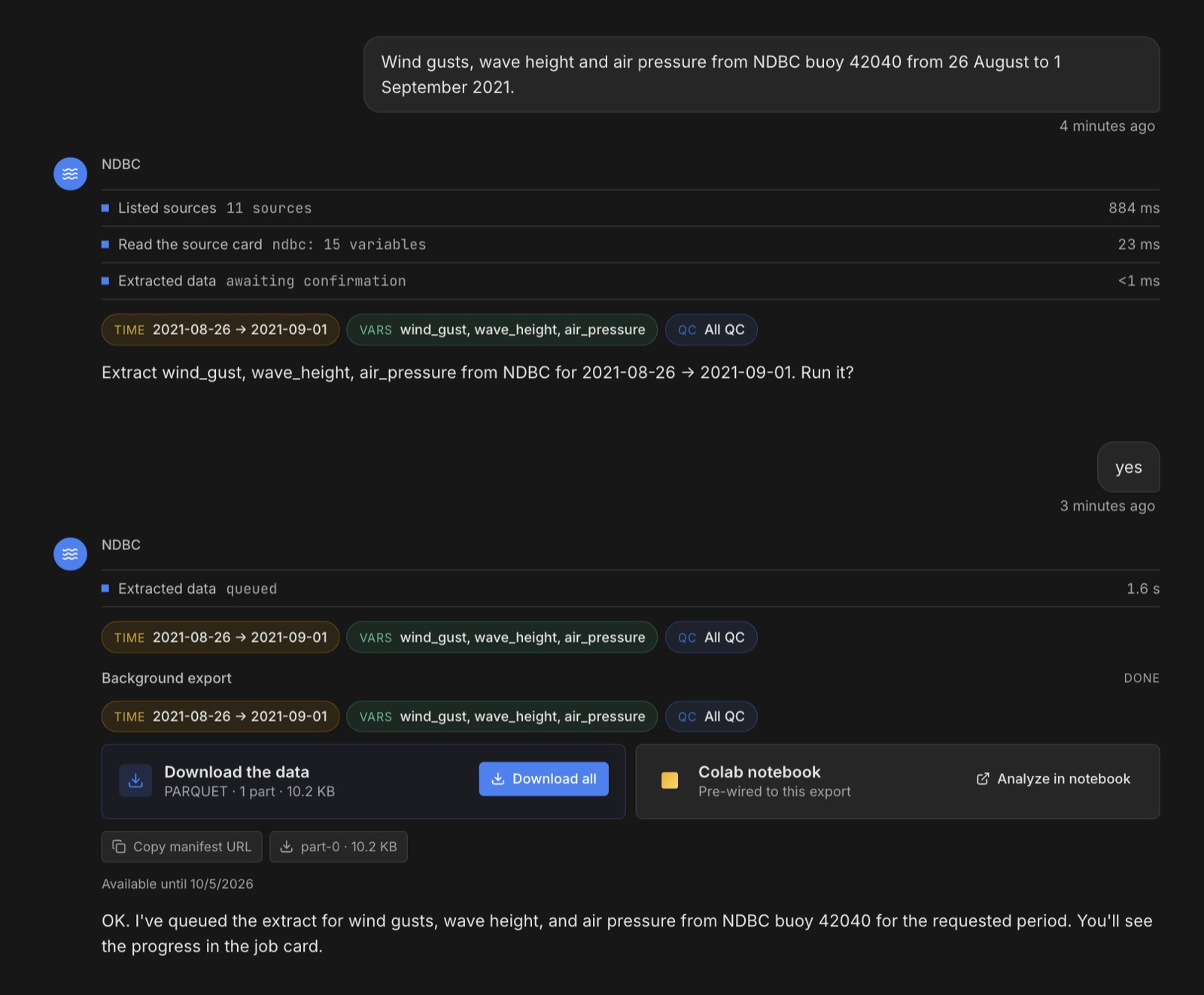
That brings back 865 readings, one every ten minutes for the whole week. Now give the result a name, so later questions can refer to it, and ask about it.
Call that ida_buoy. What was the peak wave height, and when?
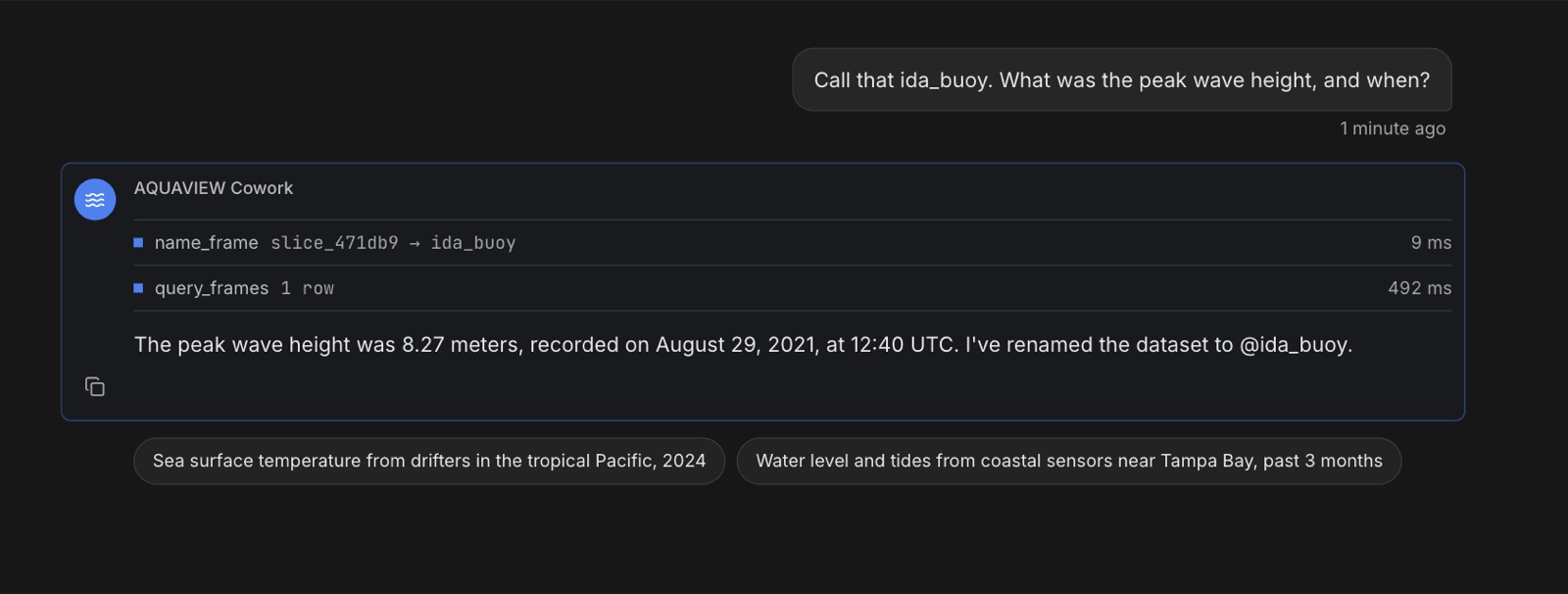
29 August, 12:40 UTC, a few hours before landfall. About as tall as a three-storey building.
The chat did not guess that number. The steps above its answer show what it did: it named the result (name_frame), then ran a query on it (query_frames).
Step 3
The water before and after
Now the water under the surface. First, every Argo profile in the box for the ten days before Ida.
Argo float temperature and salinity between 92°W and 85°W, 24°N to 29.5°N, from 19 to 28 August 2021.
Type yes at the plan card.
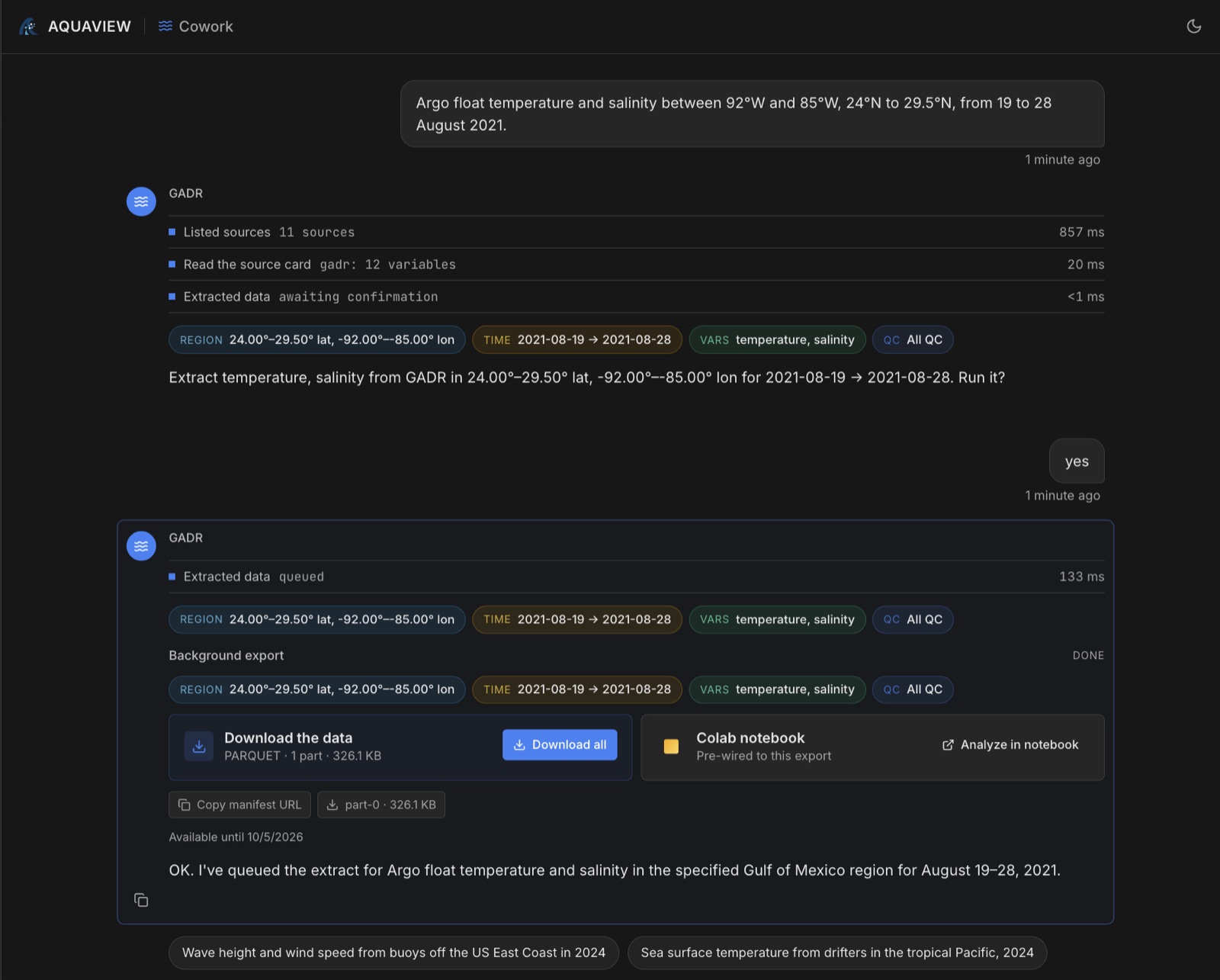
Then the same box for the ten days after.
Call that argo_before. Now the same box and variables from 30 August to 8 September 2021.
Type yes again. If it asks for the box, paste it from prompt 3.
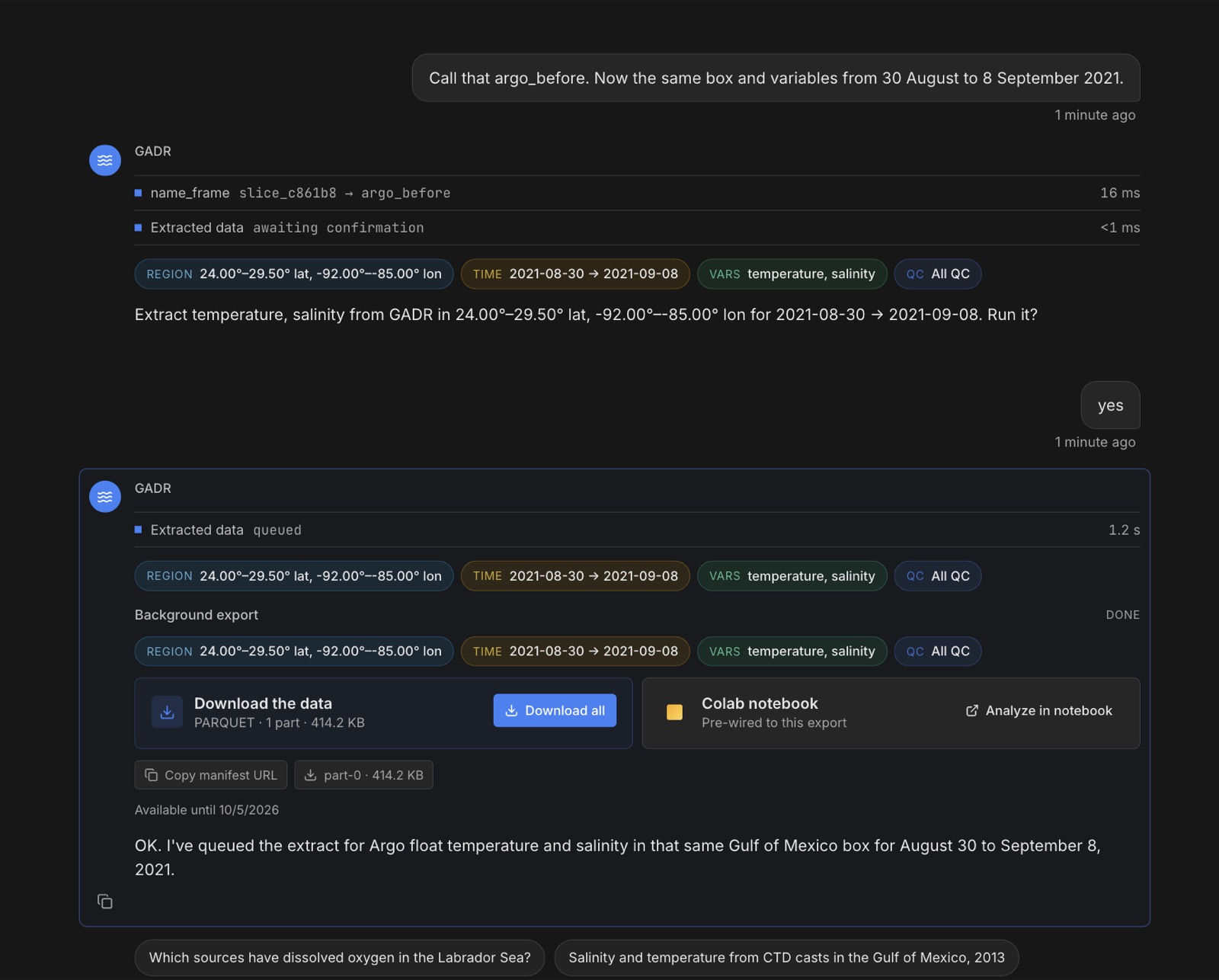
Now the question we came for.
Call that argo_after. Compare the mean temperature in the top 50 metres between @argo_before and @argo_after, and tell me how many floats and profiles are in each.
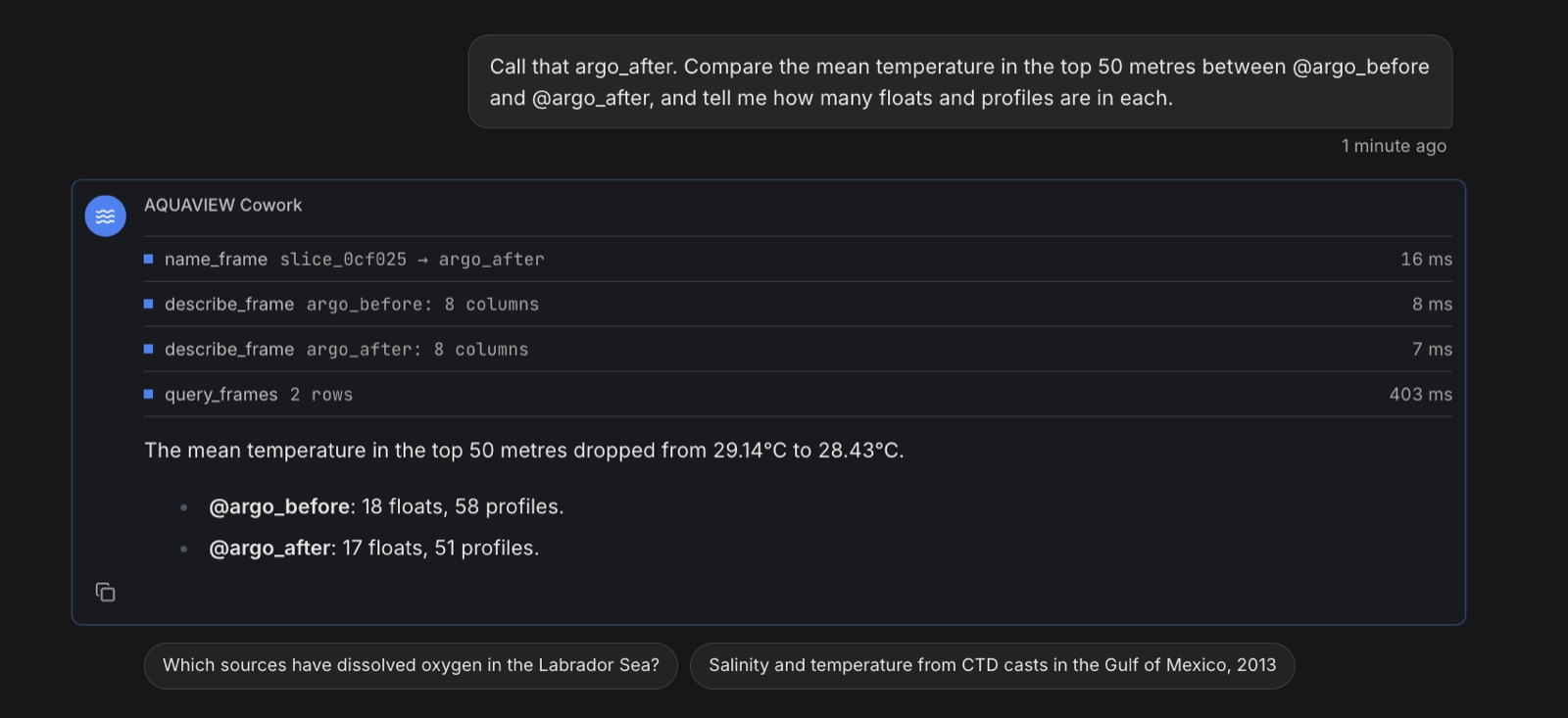
58 dives by 18 floats, 29,322 readings in all
51 dives by 17 floats, 40,006 readings in all
The top 50 metres came out 0.7 °C cooler after the storm. Again, the steps above the answer show how it got there: it looked at both named results, then ran one query across them.
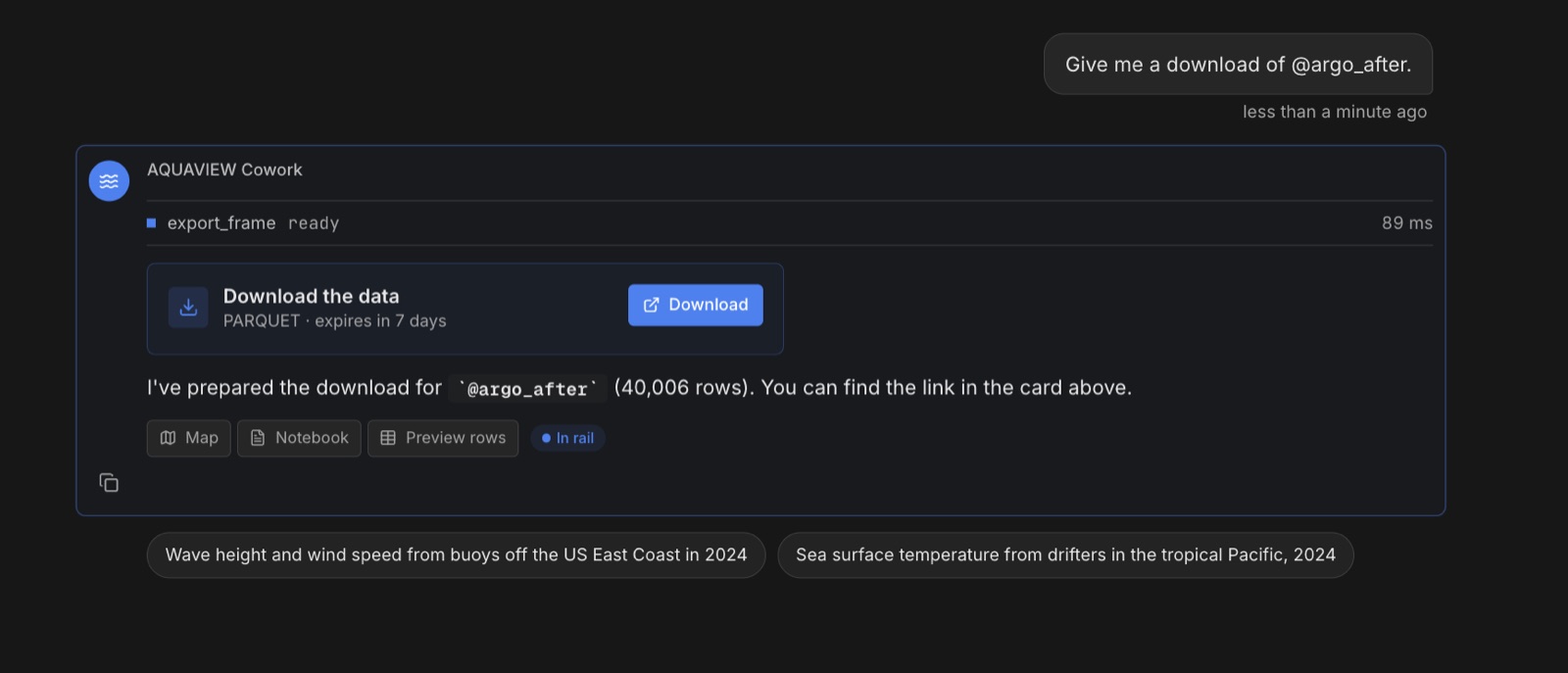
And if you want the data itself, ask for it:
Give me a download of @argo_after.
The honest part
Can we trust that number?
The arithmetic is right. What it means is a different question. The floats drift, so the dives before the storm and the dives after it were made by partly different floats, in different places. Some of the difference could simply be that they measured different water.
One way to check: a cold wake is shallow. The storm mixes the top of the ocean, so the cooling should fade as you go deeper. Here is the average temperature at each depth, before and after.
The gap does not fade. At 300 metres the two lines are still 0.7 °C apart, and a storm does not do that on its own. So part of the difference comes from where the floats happened to be.
We can narrow it down. 15 floats dived both before and after the storm. Comparing only those, the top 50 metres went from 29.05 °C to 28.47 °C, a drop of 0.6 °C. That is closer to a fair comparison, but the floats still moved between dives.
That is the point of showing the query and the data. You do not have to take the chat's word for anything, and you can check it yourself.
Try it yourself
Same data, without the chat
Everything the chat did is a normal request to AQUAVIEW's API, so a script can make the same requests and get the same answer. None of these need an account, because this is public NOAA data.
1Save this as ida.py. It asks for the same box and dates as the chat, plus the buoy.
import io, aquaview, pandas as pd

client = aquaview.Client()            # no key needed for public NOAA data
BOX = [-92, 24, -85, 29.5]            # west, south, east, north

def argo(window):
    raw = client.get_data("gadr",
        variables=["time", "platform_number", "depth", "temperature", "salinity"],
        bbox=BOX, datetime=window, format="parquet")
    return pd.read_parquet(io.BytesIO(raw))

before = argo("2021-08-19/2021-08-28T23:59:59Z")   # 19 to 28 August, whole days
after  = argo("2021-08-30/2021-09-08T23:59:59Z")   # 30 August to 8 September

for name, df in (("before", before), ("after", after)):
    top = df[df.depth <= 50]
    print(name, f"{len(df):,} rows", df.platform_number.nunique(), "floats",
          top.groupby(["platform_number", "time"]).ngroups, "profiles",
          f"mean T top 50 m {top.temperature.mean():.2f} C")

buoy = pd.read_parquet(io.BytesIO(client.get_data("ndbc",
    variables=["time", "wind_gust", "wave_height", "air_pressure"],
    datetime="2021-08-26/2021-09-01", filters={"station_id": "42040"},
    format="parquet")))
peak = buoy.loc[buoy.wave_height.idxmax()]
print("buoy 42040:", len(buoy), "obs, peak wave", peak.wave_height, "m at", peak.time)2In a terminal, in the same folder, run these four lines. You need Python 3.10 or newer. The script takes about a minute.
python3 -m venv ida
. ida/bin/activate
pip install aquaview pandas pyarrow
python ida.py3You should see the same numbers as the chat:
before 29,322 rows 18 floats 58 profiles mean T top 50 m 29.14 C
after 40,006 rows 17 floats 51 profiles mean T top 50 m 28.43 C
buoy 42040: 865 obs, peak wave 8.27 m at 2021-08-29 12:40:00+00:00
Questions
Things people usually ask
Can the AI make the numbers up?+
Not these ones. The row counts come from the data it pulled, the averages come from a query it shows you, and a plain script gets the same numbers. If the chat and the script ever disagreed, you would see it.
Is the same float counted twice?+
No. We compared Argo with Argo. The World Ocean Database also holds copies of Argo dives, and we did not mix the two.
What about quality flags?+
We used all the data to keep the example short. Both sources carry quality flags, and you can filter on them in the same request.
Am I locked in?+
No. The catalog is standard STAC, the data comes out as CSV, Parquet or Arrow, the AI connector uses the open MCP standard, and the Python package is open source on PyPI.
Your turn
Pick a storm, any storm
Nothing here is special to Ida. Change the box and the dates and the same prompts, script and command work for other storms and other stretches of ocean.